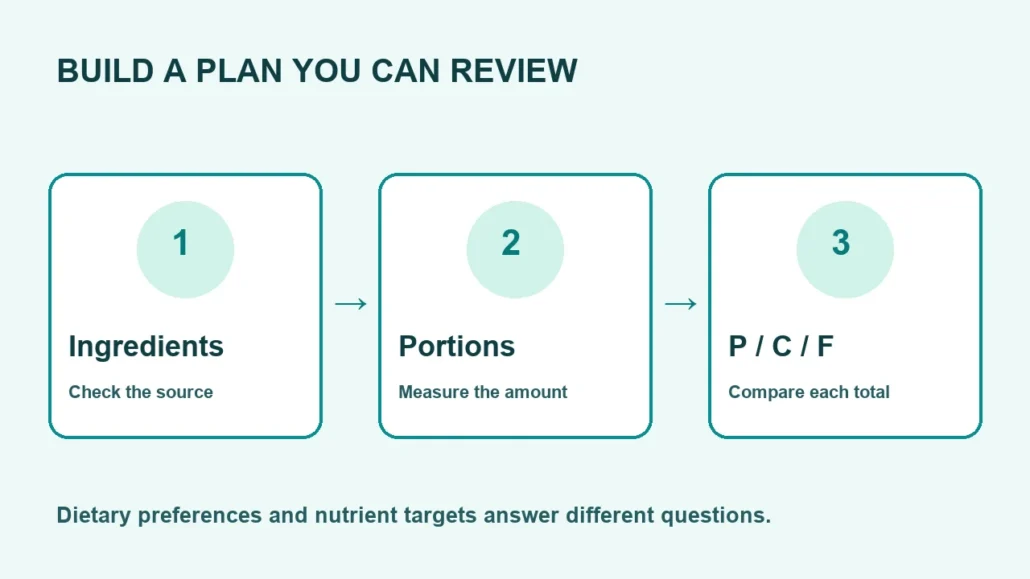
A meal-planning filter answers a specific question about a recipe. It does not answer every question about your diet. A vegan label can describe an ingredient pattern, while a block comparison describes nutrient amounts. You need both kinds of information when turning a collection of recipes into a practical plan.
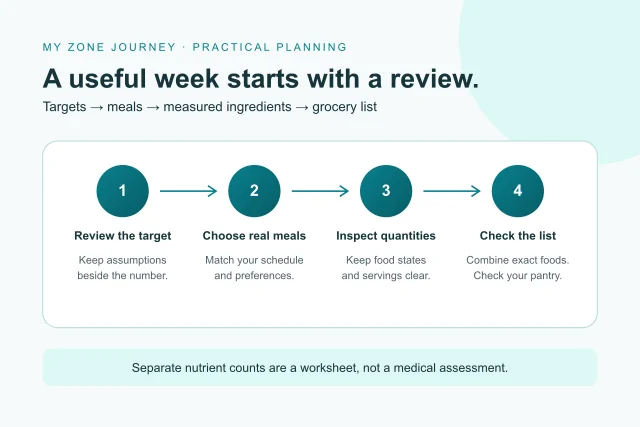
This guide explains how to use the meal planner, meal builder and recipe filters together. Start with a preference that reflects what you want to cook. Next, inspect the selected ingredients and the separate nutrient totals. Finally, review whether the actual portions and shopping quantities fit your day.
Separate ingredient choices from nutrient targets
Vegan, vegetarian and pescatarian choices concern the ingredients a recipe includes. They do not establish a particular protein, carbohydrate or fat amount. A lentil dish and a nut-based snack can both avoid meat while contributing very different nutrients. Treat the label as a useful first filter, then read the quantities.
The same distinction applies to Mediterranean-inspired or paleo-style choices. Those names describe the editorial ingredient rules explained by the tool. They are not a universal score for how closely someone follows a dietary pattern. In particular, a recipe tag cannot establish the quality or suitability of everything a person eats over a month.
For a clear starting point, open one recipe and follow a single ingredient into the food reference. Check its preparation state and source description. Then compare its contribution with the recipe total. This small check shows why an ingredient category and a nutrient count should remain separate.
Read protein, carbohydrate and fat independently
The website calculates nutrient estimates from the listed ingredient weights. Its reference counts divide protein by 7, available carbohydrate by 9 and total fat by 3. The separate original added-fat equivalent divides fat by 1.5. These two fat counters describe different conventions; do not add them as if they were two allowances.
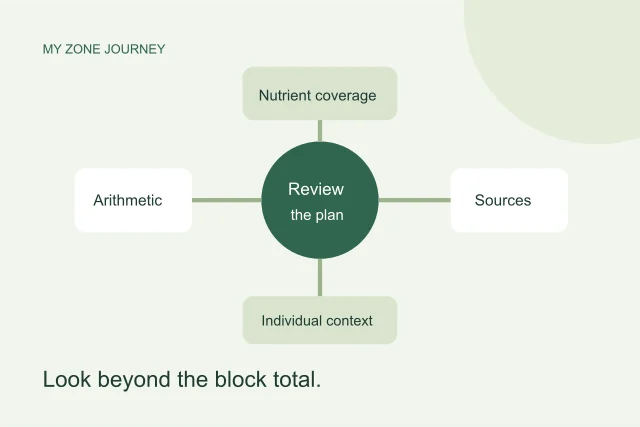
Suppose an illustrative meal shows 3 protein blocks, 4 carbohydrate blocks and 2 total-fat blocks against a target of 3 of each. The differences are zero, plus 1 and minus 1. Calling that meal simply “three blocks” would hide the mismatch. These numbers are a teaching example rather than a measured recipe or a recommendation.
Scaling a recipe by protein multiplies every ingredient together. As a result, carbohydrate, fat and energy change too. A matching protein result does not automatically make the other counts match. The portion guide explains this shared scaling rule, and the planner keeps the remaining differences visible.
Use alternative patterns without relabeling them as Zone-balanced
A lower-carbohydrate or keto-style filter uses the numerical conditions stated in the interface. It can select a different recipe pattern from a traditional Zone comparison. Therefore, a plan using that filter should remain an alternative dietary worksheet, with its actual totals shown. A label must not imply that two incompatible targets have somehow both been achieved.
The filter also does not establish ketosis, treatment effectiveness or an individual calorie requirement. Research comparisons concern particular interventions and participant groups. The research library distinguishes those questions from the arithmetic performed by the tools. Read the design and limitations beside a paper rather than taking a dietary name as a promise.
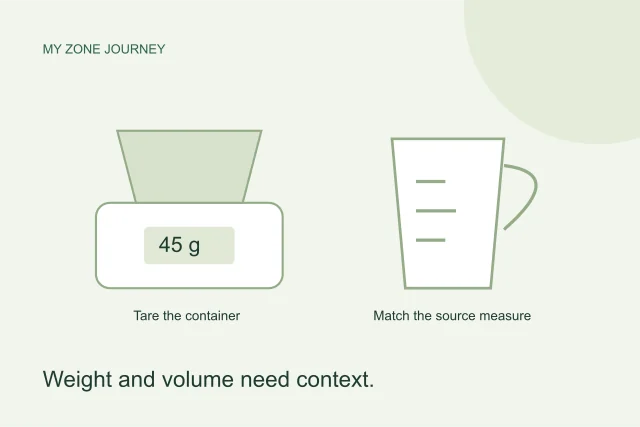
Higher-protein and lower-carbohydrate recipe filters likewise need a quantity basis. Read the stated threshold and inspect the portion you will actually use. A smaller serving can contain less protein even when the original recipe met a category rule. The relevant comparison is the current measured portion, rather than a badge detached from its ingredients.
Exclusions require an ingredient check
A disliked-food exclusion and an allergy concern are different reasons to avoid an ingredient. Use exact-food exclusions when you want to leave a particular source record out of a generated plan. However, excluding one food record does not establish that every related product or ingredient name has disappeared.
For example, excluding one plain yogurt is different from asking for a dairy-free ingredient pattern. Check every recipe ingredient when that distinction matters. A custom meal also needs a fresh check after you change its ingredients. If a record lacks enough reviewed information for a selected filter, the tool should report that limitation rather than assume that the food qualifies.
The FDA’s food-allergy guidance explains labeling and cross-contact concerns. A dietary filter here cannot inspect a product label or a kitchen. Check the specific product and preparation process instead of treating a search result as an allergy-safety certification.
Plan for time and variety with honest assumptions
Begin with a short plan if you are trying unfamiliar recipes. One or three days can reveal whether the preparation steps fit your schedule. A longer plan can organize repeated shopping and cooking tasks, but a thirty-day worksheet still needs your review. It cannot predict ingredient availability or how your plans will change.
Cooking-time filters use editorial estimates. They are not stopwatch measurements from physical kitchen testing. Similarly, a budget preference can describe an ingredient-based planning heuristic without claiming a current grocery price. Read that basis, then compare it with your local shops and what you already have at home.
Variety also needs a practical balance. Repeating a useful dish can simplify preparation, while rotating ingredients can make a draft more interesting. Use meal replacement or single-day regeneration to change the part that does not work for you. Afterward, inspect that day’s totals again rather than assuming that a new dish has identical nutrients.
Review the grocery list after every meaningful edit
The grocery list combines the current plan’s ingredient quantities. It merges the same source food, not every item with a similar everyday name. Cooked and raw records remain separate because the tool does not invent a cooking-yield conversion. A cooked grain weight, for example, is not a dry package weight.
Next, compare the list with your cupboard. Removing a shopping item does not remove that food from the meal or change its nutrient totals. The removal simply records that you do not want the item on the current shopping list. Check the quantities again when a portion, recipe or day changes.
Finally, download or print the version you intend to use. An earlier file cannot update itself after later browser edits. The most useful plan is one whose recipes, portions, exclusions and grocery quantities still agree. For the full calculation and storage rules, read the planning methodology and nutrition methodology.